
Steam
This guide requires that you own Among Us on Steam and have PortingKit installed.
Note: It is also possible to install via Crossover, but that software must be purchased.Mod Installation
1. In PortkingKit, go to Sources > Steam and search for/install Among Us.
2. Once it’s installed, launch it once and make sure you’re able to sign into your account successfully, then you can close it again. (If needed, you can go back to PortingKit and click Force Close.).
3. Go to the Settings for the Among Us instance and select Wine Configuration. Select “Libraries” and add
winhttpin the new override section, then click Apply.4. Download the latest x64-Steam-Epic-MsStore.zip folder for Town of Us: Mira.
5. In the Settings for the Among Us instance, click Open C: Drive and follow this path:
6. Extract the contents of the .zip folder you downloaded and open it. Copy all the contents and paste them into the main Among Us game folder. It should look like the image below.
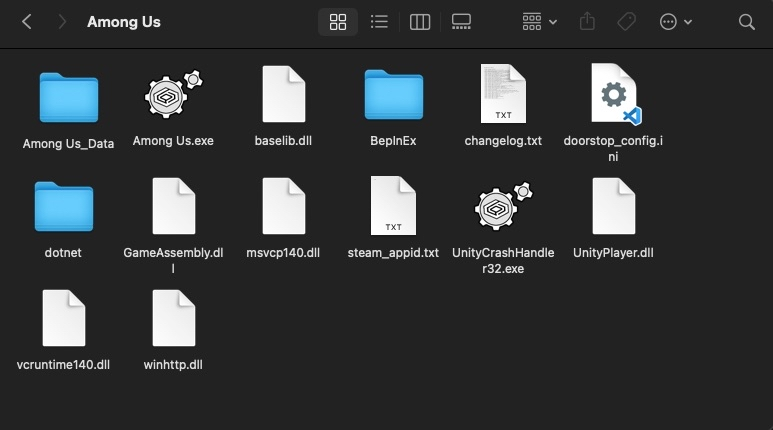
7. Launch Among Us—if successful, it will display the Town of Us: Mira logo in the top left corner.
If you encounter any issues installing, please join the Town of Us Discord server and open a Town of Us Support ticket in the TOU Support channel.